
Below are the steps to uninstall the version 20 driver from a Mac computer:
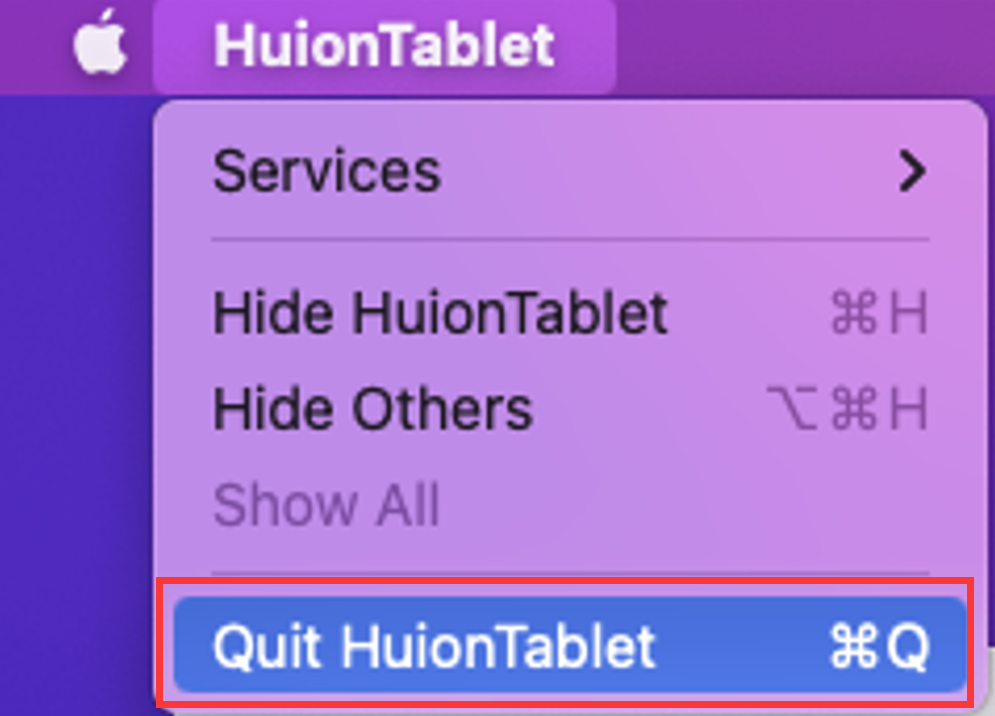
- Quit the driver or the HuionTablet app if it's running.
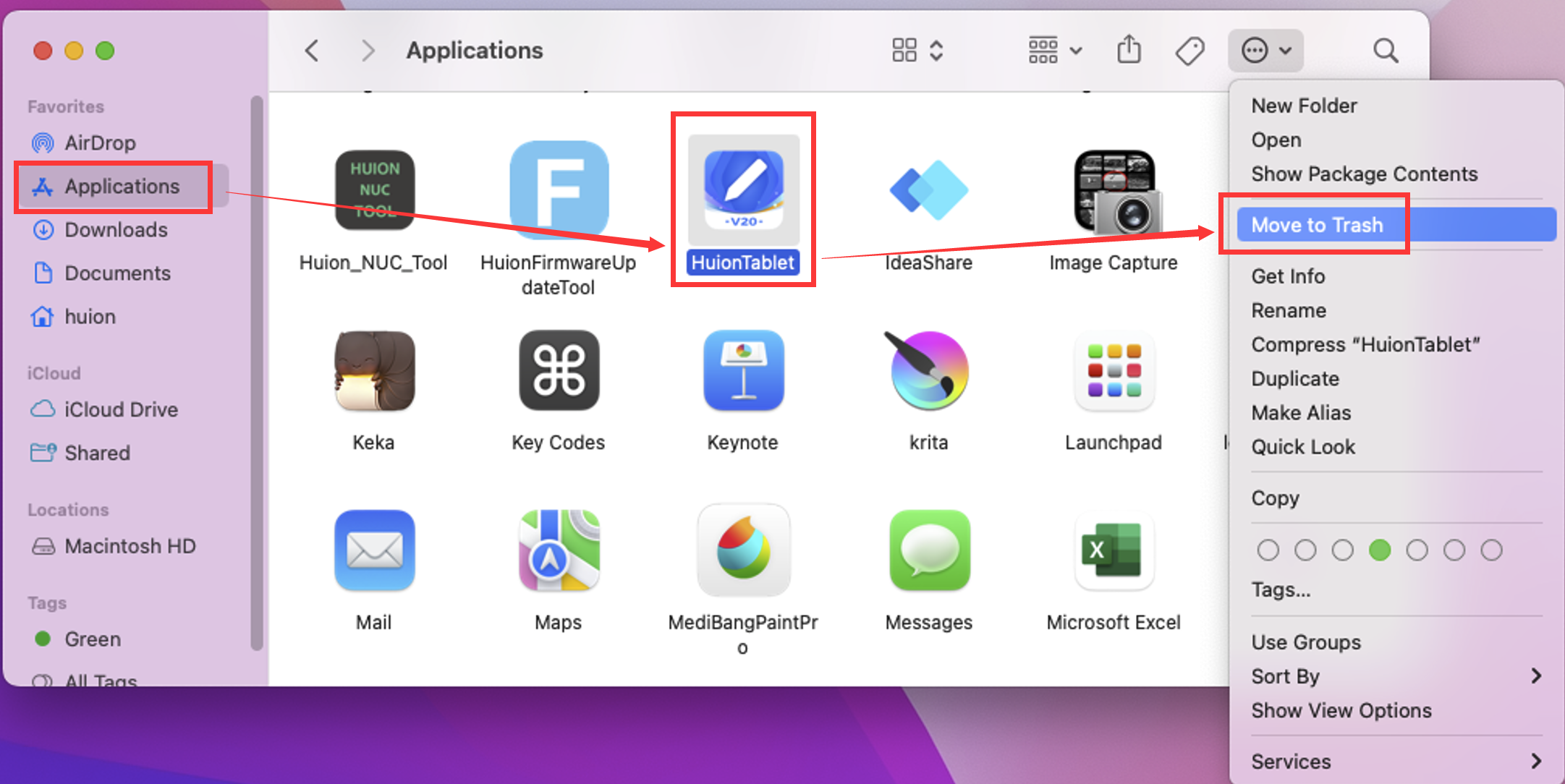
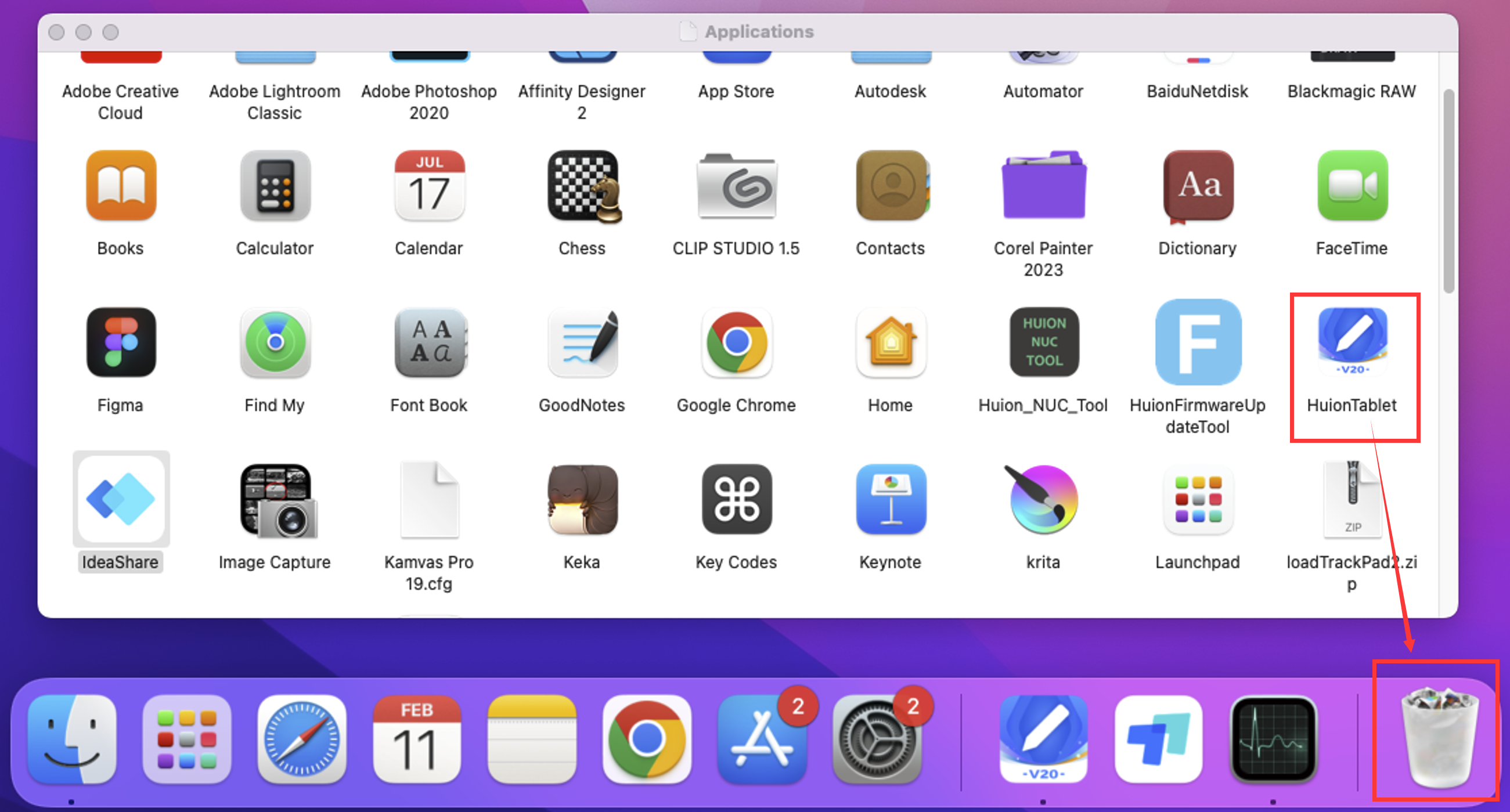
- Locate the driver in your Applications folder and move it to the Trash, or press Command + Delete.
- You may need to enter your computer password to complete the uninstallation.
- Empty the Trash to complete removal.
It is recommended that you restart your computer or re-plug your tablet if you need to reinstall the driver. Check out this article on how to install the driver: How to Install Huion Driver on MacOS.
For further assistance, feel free to email us at service@huion.com and provide the following information:
- Order number
- Serial number (found on the back of your tablet, which starts with S/N)
- MacOS version (you can also provide a screenshot of the "About this Mac" window)
- Driver version
- Firmware version
- Details of your issue
- Link to a video that captures your issue (if possible). Please ensure the link is unrestricted.