
System updates are essential for keeping your Huion Note E (X50) running smoothly. The latest update includes important fixes for various system bugs and crashes, including issues some users experienced during Google registration. Installing the update ensures better stability, improved compatibility, and a smoother overall experience.
What issues does the latest system update fix?
The update includes several improvements, such as:
- Fixes for system bugs that caused unexpected crashes
- Improved stability across apps and system functions
- Resolved issues that previously caused Google registration to fail
- Enhanced compatibility allowing Google registration to be completed using Firefox
These fixes help ensure your device performs reliably during everyday use.
How do I update my Huion Note E (X50)?
Follow these steps to check for and install the latest update:
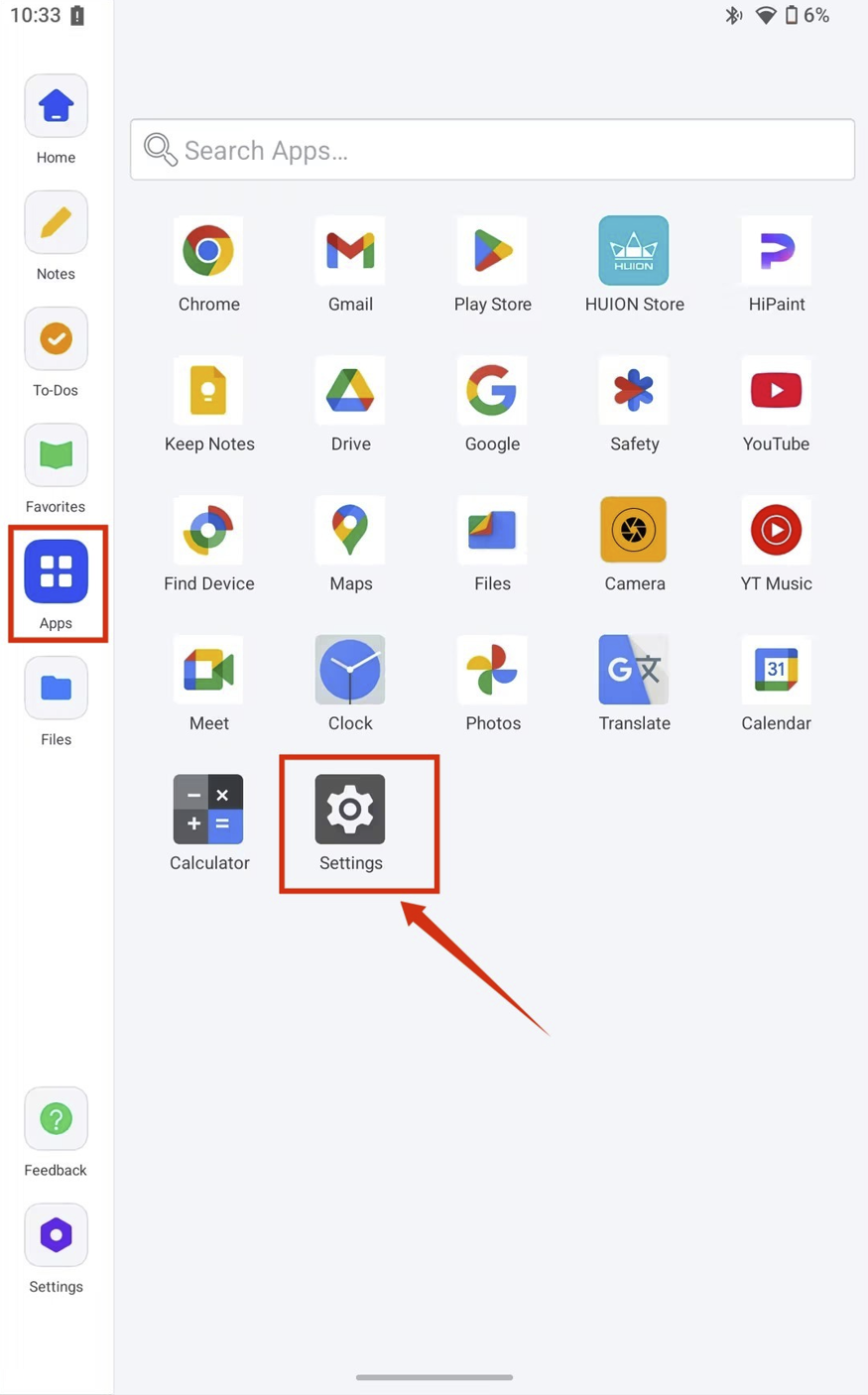
- Open Apps on your device, and tap Settings.
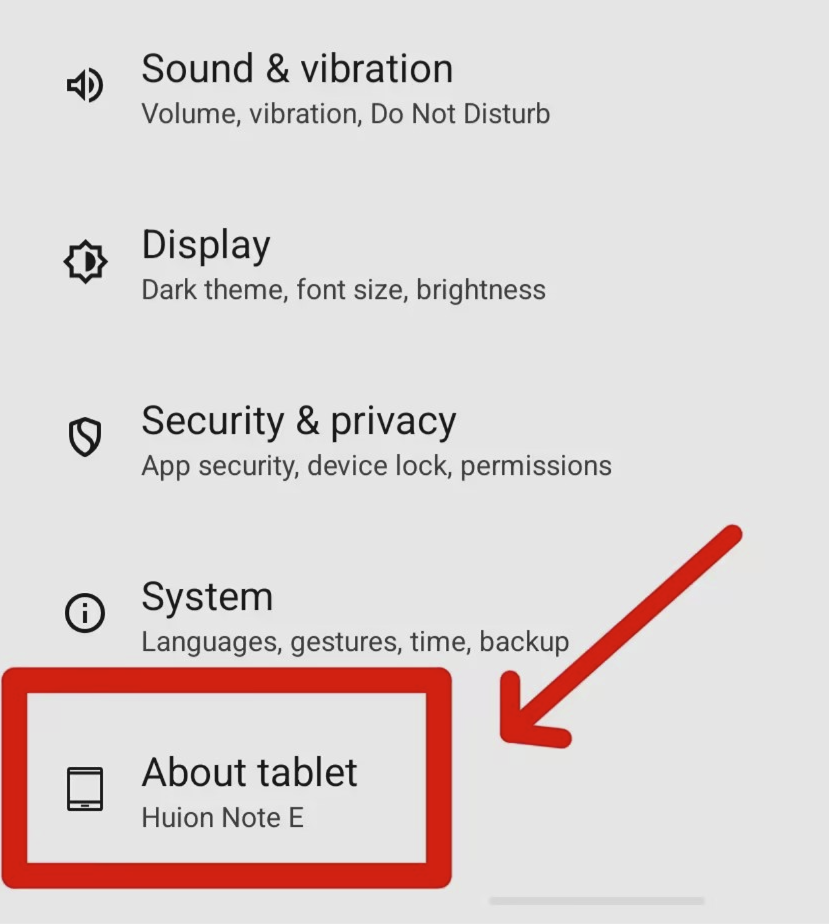
- Scroll down and select About tablet.
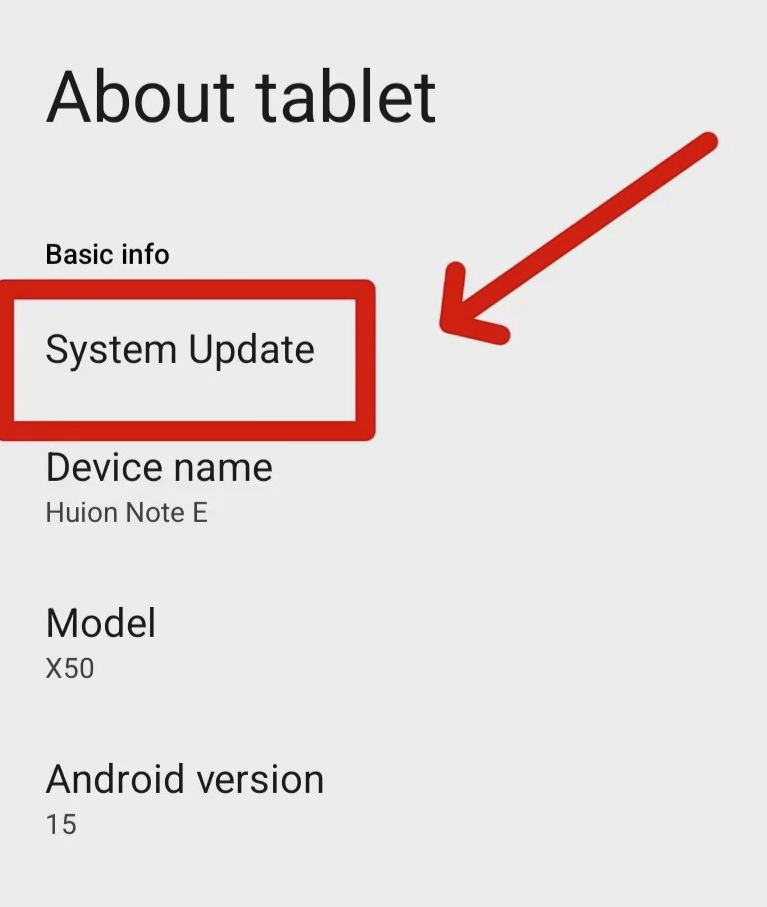
- Tap System Update.
- Press Check for updates.
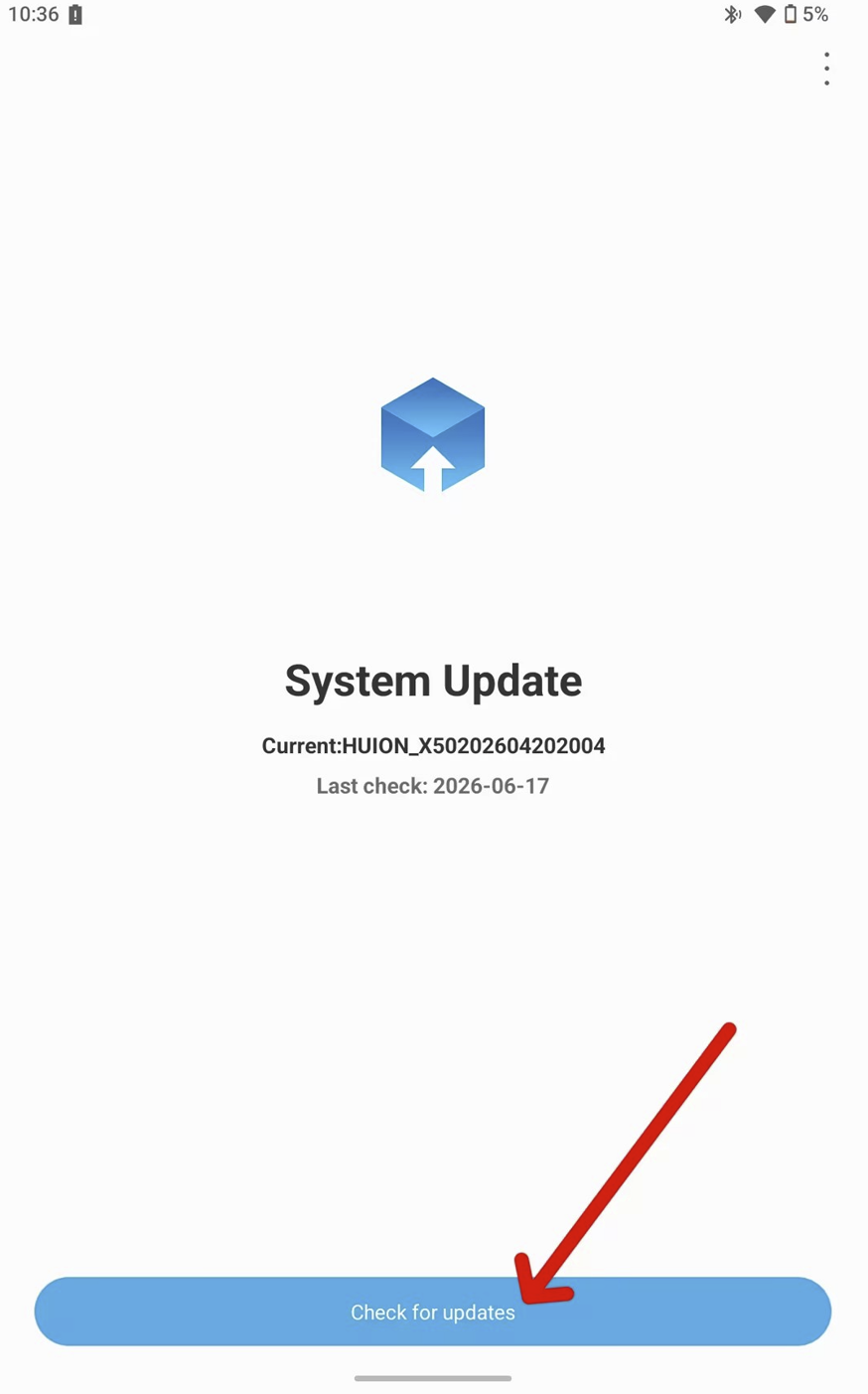
- If an update is available, follow the on‑screen instructions to download and install it.
NOTE: Do not operate the device during the upgrade process.
Once the update is complete, your device should operate more smoothly.
Do I need Wi‑Fi to update?
Yes. A stable Wi‑Fi connection is required to download and install system updates.
What if the update doesn't appear or fails to install?
Try these steps:
- Restart your device and check again
- Ensure your battery is above 20%
- Connect to a different Wi‑Fi network
- Verify that your date and time settings are correct
- Free up storage space if needed
If the update still doesn't appear or installation fails, contact Huion Support for further assistance, and provide the following:
- Order number
- Serial number (S/N)
- Video link as you perform the update steps above (ensure the video is unrestricted)
Why should I update my device?
Updates provide:
- Bug fixes and crash prevention
- Improved system stability
- Better app compatibility
- Enhanced overall performance
Updating your Huion Note E (X50) ensures you get the best possible experience with your device.